Choosing the right tools can feel overwhelming when so many options promise to grow your online presence. Some focus on simplifying everyday tasks while others promise advanced strategies or powerful analytics. Whether you want more traffic for your site or smoother management across multiple platforms there are solutions for every workflow and skill level. If you are searching for programs that save time and bring results without extra hassle the right match can make all the difference. Get ready to see what sets these different choices apart and how they might fit into your own routines.
Table of Contents
7-Day SEO Academy

At a Glance
The 7-Day SEO Academy is a focused, free crash course in advanced keyword research designed to move the needle on traffic quickly. In seven days you get structured guidance, access to free SEO and blogging tools, and curated resources — all without a paywall. If you want a compact, actionable program that prioritizes results over theory, this academy delivers.
Core Features
The program centers on a seven-day advanced keyword research training that walks participants through practical, traffic-driven techniques. Beyond the core lessons, Words at Scale offers free SEO and blogging tools, curated deals and discounts, helpful resources, and user reviews to support ongoing learning. The platform emphasizes accessibility: these materials are built to work for everyone, whether you’re a beginner or an intermediate SEO practitioner.
Pros
- Completely free: There is no cost to join the academy or access the suite of tools, which lowers the barrier to entry for bloggers and small business owners.
- Traffic-focused approach: The curriculum is explicitly designed to improve traffic regardless of your domain rating, making strategies usable for low-authority sites.
- Actionable resources and tools: Free tools and practical resources accompany the lessons so you can apply techniques immediately instead of just reading theory.
- Suitable for all experience levels: The academy is structured so beginners can follow along while intermediate users can deepen existing skills.
- Community validation via reviews: User reviews are available, offering social proof and real-world perspectives from other participants.
Who It’s For
This academy is ideal for bloggers, website owners, and digital marketers who need fast, applicable keyword research training without budget overhead. If you manage a small site, publish regular blog content, or handle SEO in-house, this program gives tactical steps you can implement in days. It’s also well suited to people who want to improve traffic regardless of domain authority or current experience level.
Unique Value Proposition
wordsatscale.com appears to be a digital platform focused on SEO training and tools aimed at marketers, bloggers, and website owners seeking to enhance their search engine rankings. The homepage prominently features a free 7-day advanced keyword research academy, suggesting its primary goal is to educate users on effective SEO strategies. Additionally, the site promotes free SEO and blogging tools, discounts, and resources designed to help users boost website traffic regardless of their domain authority or experience level. The focus on limited spots for the academy indicates a desire to create exclusivity and drive registrations. Overall, the website functions both as an educational portal and a service provider offering free tools and resources to support SEO and content marketing efforts, positioning itself as a comprehensive resource for those looking to improve their online visibility and organic traffic.
What sets this academy apart is that it packages advanced keyword research into a short, free program complemented by usable tools and discounts — a combination that many competitors reserve for paid tiers. That makes it uniquely powerful for bootstrapped creators who need measurable traffic improvements fast.
Real World Use Case
A blogger signs up, completes the seven-day keyword training, and applies the techniques to five underperforming posts. Within eight weeks they see higher impressions and a steady traffic increase due to better topic targeting and optimized on-page signals. The accompanying tools streamline keyword selection and tracking so changes go live quickly.
Pricing
Free
Website: https://wordsatscale.com
Buffer
At a Glance
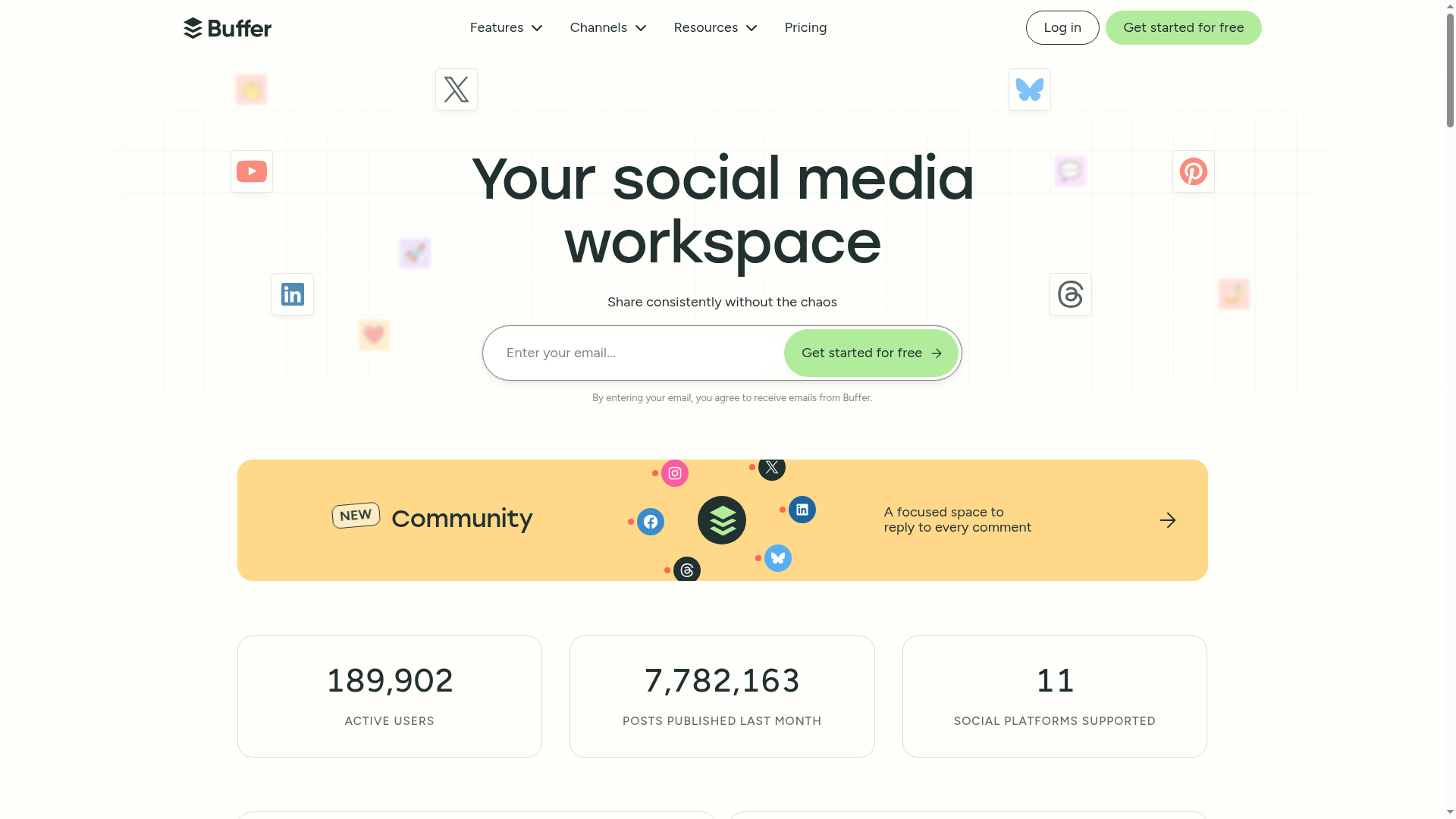
Buffer is a straightforward social media management platform that helps individuals and teams publish, engage, analyze, and collaborate across multiple networks. Trusted by over 100,000 businesses and individual users, it balances ease of use with the core features most bloggers and small agencies need. If you want reliable scheduling, basic-to-advanced analytics, and team workflows without a steep learning curve, Buffer is worth considering. It does, however, reserve some advanced capabilities for higher-tier plans.
Core Features
Buffer enables scheduled publishing across Facebook, Instagram, TikTok, LinkedIn, and other platforms, plus a content ideas workspace with AI assistance to refine copy. You can reply to comments and messages from a centralized dashboard to streamline engagement, and track performance with both basic and more advanced analytics including audience demographics and content insights. Team collaboration is supported through role-based access, approval workflows, and permissions, and Buffer integrates with tools like Canva, Unsplash, Dropbox, and Zapier to simplify content creation and automation.
Pros
- Multi-platform scheduling: Buffer lets you queue posts across major networks including Instagram and TikTok, which simplifies publishing for multi-channel bloggers.
- AI-assisted content ideas: The content ideas feature with AI help speeds up copy refinement and reduces the time you spend staring at a blank calendar.
- Centralized engagement: Replying to comments and messages from one dashboard keeps community management focused and more efficient.
- Team-friendly collaboration: Role-based access and approval workflows make it easier for small teams and agencies to coordinate without losing oversight.
- Flexible pricing tiers: Buffer offers a free plan plus paid plans that scale, so you can start small and add features as your needs grow.
Cons
- Advanced features behind higher tiers: Some useful capabilities, like custom analytics and extended team functionality, are locked to higher-priced plans, which can limit growth for tight budgets.
- Free plan caps: The free plan restricts the number of channels and scheduled posts, so it’s not viable for power users or multi-client agencies.
- Complex pricing comparisons: With several plans and add-ons, new users may find it tricky to compare features and pick the right plan quickly.
Who It’s For
Buffer is ideal for bloggers, social media managers, small businesses, content creators, and creative agencies who need a reliable, easy-to-use platform for scheduling, basic engagement, and performance tracking. If you manage multiple accounts but prefer a clean interface and straightforward workflows, Buffer fits well. If your needs include deep custom analytics or extensive enterprise collaboration, expect to upgrade.
Unique Value Proposition
Buffer’s strength lies in delivering a simple, dependable workflow that combines scheduling, engagement, and analytics with helpful integrations and AI-assisted content refinement. It reduces friction for solo creators and small teams by centralizing posting and basic insights without overwhelming complexity.
Real World Use Case
A small marketing agency uses Buffer to schedule posts for multiple clients across Facebook, Instagram, and LinkedIn, collaborate internally on drafts with approval workflows, and review engagement metrics to refine posting cadence and content topics.
Pricing
Buffer offers a free plan with basic features, with paid plans starting at $5/month for the Essentials plan that includes unlimited scheduled posts and added features. The Team plan starts at $10/month and adds collaborative tools and more analytics options, with annual billing available for discounts.
Website: https://buffer.com
Hootsuite

At a Glance
Hootsuite is an all-in-one social media management platform built to help you schedule posts, monitor conversations, and measure performance from a single dashboard. It combines AI-assisted content generation, social listening, and team collaboration tools to support individuals, agencies, and enterprises. The platform’s strength is breadth: robust analytics and enterprise-grade features sit alongside creative tools like Canva integration and OwlyGPT. Expect a comprehensive solution that can be complex to master but scales well as your needs grow.
Core Features
Hootsuite centralizes social media content scheduling and publishing across multiple accounts while providing social analytics and performance reporting to evaluate campaign ROI. It offers social listening to monitor mentions, keywords, and trends in real time, plus AI-powered content creation and idea generation to speed workflow. Team collaboration features include approval workflows and permissions, a social inbox for messages and comments, a content library with Canva integration, automated link shortening and tracking, customizable reporting and benchmarking, and employee advocacy and social selling capabilities.
Pros
- All-in-one platform with extensive integrations: Hootsuite brings scheduling, listening, analytics, and creative tools together so you can manage campaigns from one place.
- Powerful analytics and reporting capabilities: The platform provides customizable reporting and benchmarking tools that help measure performance and demonstrate ROI.
- AI tools for content creation and strategy insights: Features like generative AI and OwlyGPT accelerate content ideation and copy generation for faster publishing.
- Streamlined workflow with approval processes and team management: Built-in permissions and approval workflows keep content governance tight across teams.
- Supports enterprise-level security and compliance: Hootsuite includes features and controls suited to organizations that require advanced security and governance.
Cons
- Can be complex for new users due to extensive feature set: The breadth of tools and options creates a learning curve that may slow initial adoption.
- Pricing may be high for small businesses or individual users: Tiered subscriptions and add-ons can make Hootsuite cost-prohibitive for solo bloggers or very small teams.
- Some features like advanced analytics and automation require higher-tier plans: To access the most powerful reporting and automation capabilities you’ll likely need to upgrade to mid or enterprise plans.
Who It’s For
Hootsuite is ideal for businesses and organizations that require comprehensive social media management, including marketing teams, social media managers, agencies, and enterprises. If you manage multiple profiles, coordinate approvals across a team, or need advanced analytics and security, Hootsuite scales to meet those demands. Individual bloggers with simple needs may find the platform more than necessary unless they plan rapid growth.
Unique Value Proposition
Hootsuite’s unique value lies in combining enterprise-grade analytics, social listening, and AI-assisted content creation within a single dashboard that supports collaboration and governance. That combination makes it practical for teams that must publish consistently, monitor brand reputation, and prove social media impact to stakeholders.
Real World Use Case
A retail brand used Hootsuite to increase online sales by scheduling targeted content, using social listening to identify trending products, and analyzing campaign performance to optimize promotions across channels. The result was tighter campaign coordination and clearer insights into what drove conversions.
Pricing
Hootsuite uses tiered subscription plans with optional add-ons and custom enterprise solutions, with discounts for annual billing and nonprofit organizations. Specific prices are available upon request.
Website: https://hootsuite.com
SocialBee
At a Glance
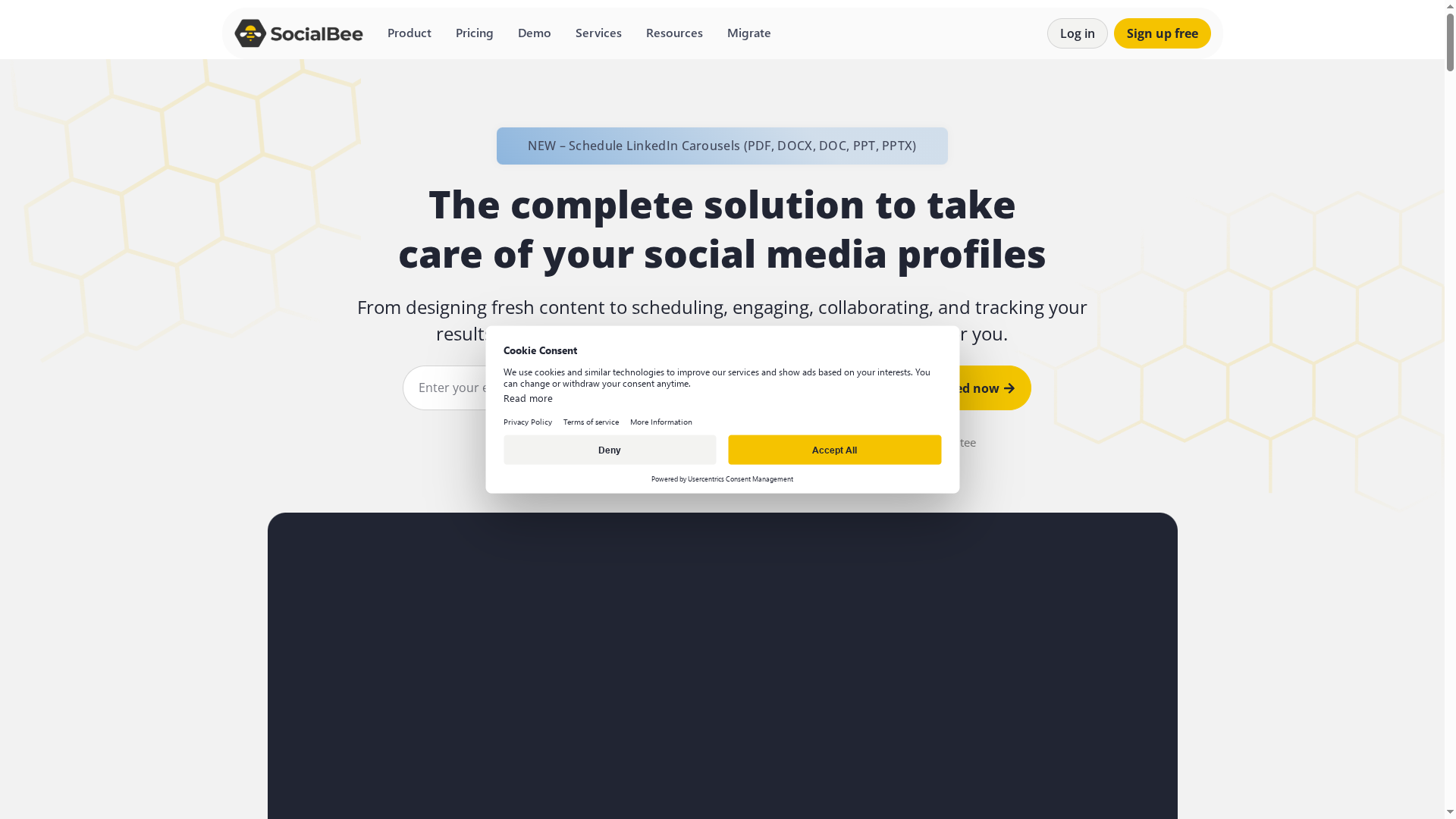
SocialBee is a full-featured social media management platform that centralizes content creation, scheduling, engagement, collaboration, and reporting. It combines AI-assisted content generation with direct integrations to Canva, Unsplash, and Giphy, so you can create visually rich posts without switching apps. For small businesses, marketing teams, and agencies that juggle multiple client accounts, SocialBee speeds up workflows and reduces manual posting. It can feel feature-dense at first, but the payoff is streamlined publishing and clearer performance insights.
Core Features
SocialBee’s core capabilities include AI-powered content creation and design tools, a visual calendar for scheduling across multiple platforms, and monitoring for mentions and comments so you can respond from one inbox. Team collaboration and approval workflows simplify multi-user publishing, while analytics and reports provide audience demographics and growth insights. Integrations with Canva, Unsplash, and Giphy let you pull creative assets directly into the editor, and automated scheduling suggests optimal posting times to maximize reach.
Pros
- All-in-one functionality reduces tool sprawl: SocialBee brings creation, publishing, engagement, and analytics into a single platform so you spend less time switching between apps.
- Native creative integrations speed up content production: Direct connections to Canva and Unsplash make it fast to design or source images without downloading files.
- AI-assisted content generation saves time on ideation: The AI assistant helps produce captions and post variations, which is useful when you’re producing high volumes of content.
- Automated scheduling optimizes audience reach: Built-in scheduling and suggested posting times reduce guesswork and help maintain a consistent calendar.
- Team collaboration and approvals support agency workflows: Role-based collaboration and approval queues keep client content organized and compliant.
Cons
- Pricing can be complex with multiple plans and add-ons, which requires careful comparison before purchasing.
- Some features may overwhelm new users until they learn the interface and workflows.
- The platform depends on a stable internet connection and service reliability to publish and monitor in real time.
Who It’s For
SocialBee is best suited for small businesses, social media managers, marketing teams, and agencies that need a centralized tool to manage multiple profiles and contributors. If you juggle client accounts or want to outsource creation while retaining approval control, SocialBee scales well from single users to collaborative teams.
Unique Value Proposition
SocialBee’s strength is its blend of creative integrations and AI-assisted content within a single workflow: you can design, generate, schedule, and analyze posts without leaving the app. That continuity shortens production cycles and reduces friction between content creation and publishing.
Real World Use Case
A small marketing agency uses SocialBee to plan editorial calendars across five client accounts, generate initial caption drafts with the AI assistant, pull branded imagery from Canva, route posts through an approval queue, and run weekly reports to show engagement and audience growth to clients.
Pricing
SocialBee offers monthly and yearly subscription plans with discounts for annual billing, and prices vary by plan and number of social profiles. Promotional pricing can start as low as $8.70 per month for the most basic plan, so evaluate plan limits and add-ons against your profile count and team needs.
Website: https://socialbee.com
Tailwind App
At a Glance
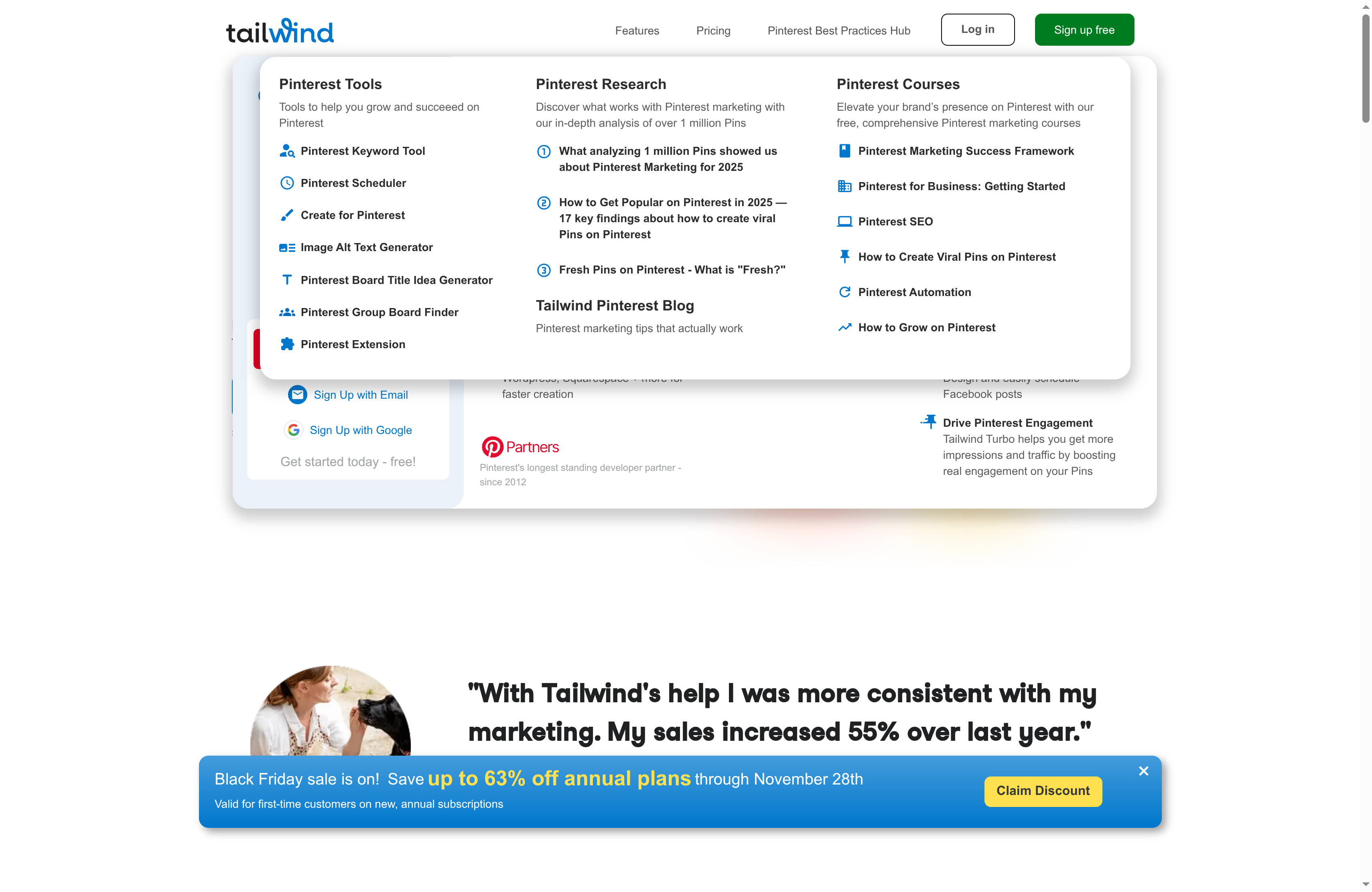
Tailwind App is a Pinterest-focused social media scheduling and marketing tool built to save time and boost referral traffic from visual search. It is an official Pinterest marketing partner that bundles scheduling, automation, AI content assistance, and analytics in one place. If your primary goal is to scale Pinterest-driven traffic while maintaining cross-posting to Instagram and Facebook, Tailwind is designed for that workflow. It’s robust — and that comes with a learning curve.
Core Features
Tailwind lets you schedule pins weeks or months in advance and bulk create or edit pins to speed content production. It integrates with Shopify, WordPress, WooCommerce, and Squarespace, and provides a browser extension for effortless pin creation from websites, Canva, or Pinterest itself. Key automation includes interval and multi-board pinning, automatic publishing, and a SmartPin feature that generates fresh, keyword-optimized pins weekly. Tailwind also offers AI-powered content creation for pin titles and descriptions, cross-network scheduling for Pinterest, Instagram, and Facebook, plus content management and analytics tools to track what’s working.
Pros
- Comprehensive scheduling and automation tools make it easy to maintain a steady pinning cadence without manual effort.
- Seamless integrations with e-commerce and CMS platforms allow you to pin product images and blog content directly from your site.
- Deep Pinterest marketing expertise, including official partner status, brings data-backed strategies tailored to visual search and discovery.
- AI-powered content creation streamlines writing optimized pin titles and descriptions, saving creative time.
- The ability to schedule content weeks or months in advance helps you plan seasonal campaigns and launches efficiently.
- Multi-network scheduling supports simultaneous posting to Pinterest, Instagram, and Facebook for consistent cross-platform presence.
Cons
- Pricing may be high for small businesses or those with very limited budgets, making the platform less accessible to solo bloggers on tight margins.
- Some features are complex for beginners, which means you’ll likely spend time learning setup and optimizing workflows before seeing full value.
- The platform’s effectiveness depends on Pinterest and other social platforms’ policies and uptime, which are outside Tailwind’s control.
Who It’s For
Tailwind is ideal for small to medium-sized businesses, content creators, and marketing teams that rely on Pinterest for discovery-driven traffic. If you run an e-commerce shop, a visually oriented blog, or you manage multiple social profiles and need automation plus analytics, Tailwind fits naturally into your toolkit. Beginners can use it, but those with some platform experience will extract value faster.
Unique Value Proposition
Tailwind combines Pinterest-specialized features with cross-network scheduling and AI content assistance, making it one of the few tools that blends platform expertise, automation, and commerce integrations into a single workflow focused on visual search performance.
Real World Use Case
A fashion e-commerce brand uses Tailwind to schedule pins of new collections, automatically repin items across several boards on an interval schedule, analyze pin performance to refine creative, and use AI to generate optimized descriptions — all of which supports higher referral traffic and improved sales conversions.
Pricing
Tailwind offers a free forever plan with limited features and paid plans starting at $17.99 per month, with tiers and features designed to match different business needs.
Website: https://tailwindapp.com
Later

At a Glance
Later is a combined social media management and influencer marketing platform that leans on AI and proprietary data to help teams plan, schedule, and optimize campaigns. It brings scheduling, social listening, influencer matching, and robust analytics into one dashboard, which makes it appealing to mid-size and larger marketing teams. The tradeoff is price and complexity—small creators may find the learning curve and cost prohibitive. Overall: powerful, data-driven, and built for scale.
Core Features
Later’s core capabilities center on AI-driven influencer strategy and end-to-end campaign management. The platform supports scheduling and publishing across multiple networks, backed by social listening and trend prediction tools to surface timely opportunities. Analytics cover engagement, sentiment, brand lift, and sales, while influencer matching and performance tracking rely on proprietary creator networks and data. Team collaboration and secure access controls round out the feature set so multiple users can coordinate campaigns without losing oversight.
Pros
- Comprehensive social media and influencer feature set is available in one platform, which reduces the need to stitch together multiple tools.
- Data-driven insights and AI features help optimize campaign tactics and creator selection based on measurable signals.
- Multi-platform support includes Instagram, TikTok, Facebook, and more, enabling cross-network planning from a single calendar.
- Advanced analytics and benchmarking provide granular measures of engagement, sentiment, and brand lift for clearer ROI conversations.
- Team collaboration tools and secure access controls allow agencies and internal teams to manage roles and approvals effectively.
Cons
- Pricing may be on the higher side for small businesses or individual creators, which can limit access for one-person teams.
- Some advanced features require higher-tier plans or additional costs, creating potential surprise expenses as campaigns scale.
- The platform’s complexity can be overwhelming for beginners, making ramp-up time longer than with simpler scheduling tools.
Who It’s For
Later targets mid to large-sized brands, marketing teams, and agencies that run influencer campaigns and manage multiple social profiles. If your workflow demands data-backed creator matches, cross-platform scheduling, and measurable campaign analytics, Later fits well. If you’re an individual creator or a very small business on a tight budget, this may feel like more power—and cost—than you need.
Unique Value Proposition
Later combines influencer marketing and social media management with AI and proprietary data to create a single environment for campaign discovery, execution, and measurement. That integration—campaign planning plus influencer matching plus advanced reporting—is the product’s distinctive advantage for teams that must scale coordinated campaigns and demonstrate tangible outcomes.
Real World Use Case
A brand uses Later to identify top-performing influencers via its matching tools, schedule creative across Instagram and TikTok, automate campaign publishing, and monitor results with analytics and social listening. The team adjusts targeting and creative quickly based on sentiment and engagement benchmarks, improving campaign efficiency over time.
Pricing
Plans start at $18.75/month billed yearly for the basic plan, with higher-tier plans at $37.50/month and $82.50/month, billed yearly. Additional costs may apply for extra social sets, users, and AI credits.
Website: https://later.com
CoSchedule

At a Glance
CoSchedule is an all-in-one marketing suite that brings social, content, workflows, and analytics into a single, calendar-driven workspace. It’s built to help teams plan, schedule, and measure campaigns while centralizing assets and approvals. If you need a unified place to run social posts, coordinate content, and automate routine tasks, CoSchedule delivers powerful capabilities — though setup and pricing can be barriers for solo bloggers or very small teams.
Core Features
CoSchedule centers on a shared marketing calendar that unifies social publishing, content planning, and campaign management. The platform includes social media publishing, scheduling, and automation; a content calendar with project templates and custom fields; and campaign planning tools for cross-channel coordination. It integrates with WordPress, HubSpot, Zapier, Google Calendar, and major social networks, and adds AI tools for content ideation, headline analysis, and image generation. Team collaboration is supported through role-based permissions, approvals, guest access, and asset sharing, while analytics and reporting measure social performance and campaign impact.
Pros
- Comprehensive all-in-one solution: CoSchedule consolidates social, content, and campaign planning into a single calendar, reducing tool switching and keeping work visible to the whole team.
- Strong automation and collaboration features: Automation for publishing and workflow approvals speeds repetitive tasks, and role-based permissions help maintain editorial control across multiple contributors.
- Robust integrations with popular tools: Native connections to WordPress, HubSpot, Zapier, and major social platforms make it straightforward to connect CoSchedule to your existing stack.
- AI-powered content creation and analysis tools: Built-in features for content ideation and headline analysis can accelerate brainstorming and improve headline performance.
- Scalable plans for small to large teams: The platform offers tiered plans so teams can start small and expand into agency or enterprise configurations as needs grow.
Cons
- Can be complex to set up for new users: The breadth of features means there’s a learning curve, and initial configuration can take time before workflows run smoothly.
- Pricing may be high for smaller businesses or individual users: While a free plan exists, meaningful social and marketing capabilities start at paid tiers that may strain small budgets.
- Some features may require higher-tier plans: Advanced campaign tools, deeper analytics, or larger team seats are often gated behind agency or marketing suite plans.
Who It’s For
CoSchedule fits marketing teams, social media managers, agencies, and businesses of small to enterprise scale that need a centralized platform for planning, executing, and measuring marketing. If you manage multiple channels, coordinate contributors, or run recurring campaigns, CoSchedule gives the structure and automation to scale your work.
Unique Value Proposition
CoSchedule’s differentiator is its calendar-first approach that ties social publishing, content projects, and campaign planning into one visual hub, combined with AI-assisted content tools and broad integrations to reduce manual handoffs and accelerate production.
Real World Use Case
A marketing team uses CoSchedule to plan editorial themes, schedule social content across platforms, route assets for approvals, and pull performance reports that show which headlines and formats drive engagement — all from the same calendar interface.
Pricing
A free plan is available; paid plans start at $19/month per user (billed annually) for the social calendar. Agency, content, and full marketing suite plans cost more and include expanded features and user limits.
Website: https://coschedule.com
Sendible

At a Glance
Sendible is an all-in-one social media management platform built for businesses, agencies, and serious creators who need scheduling, monitoring, and reporting in one place. It supports a wide range of networks and adds modern platforms like Threads and TikTok, making it future-proof for multi-channel campaigns. Expect a powerful feature set that rewards time invested in learning the interface. It can feel complex at first, but the payoff is streamlined workflows and stronger client reporting.
Core Features
Sendible combines cross-network scheduling and publishing with content sourcing tools such as RSS feeds, Google Alerts, and a holiday calendar to keep your queue full. You can customize posts with visuals, geotags, and an in-built editor, then monitor and reply to comments in real time across platforms like Facebook, Instagram, and LinkedIn. Team collaboration is robust, with permission controls and approval workflows, while agencies get white-label dashboards, custom domains, and client onboarding tools. Automated reports, campaign tracking, and analytics round out the stack for performance-driven teams.
Pros
- Broad platform support: Sendible supports a wide range of social networks, including newer platforms like Threads, Bluesky, TikTok, and YouTube, which helps you consolidate management in one tool.
- Strong collaboration features: The platform provides permission controls and approval workflows that streamline team and agency processes, reducing back-and-forth and mistakes.
- Advanced analytics and reporting: Automated reports and trend analysis allow you to measure campaign performance and deliver client-ready insights without manual spreadsheets.
- Agency-friendly white labeling: Custom branding and domain options let agencies present a polished, client-facing dashboard that reinforces their brand.
- Dedicated support and onboarding: Sendible offers webinars, onboarding, and dedicated success managers that help teams get up to speed faster.
Cons
- Steep learning curve for newcomers: The interface is feature-dense and can require training before users feel fully comfortable navigating advanced workflows.
- Posting frequency limits: To comply with platform policies, Sendible imposes some limits on posting frequency per day, which may constrain high-volume publishers.
- Pricey at higher tiers: Upper-level plans carry a premium cost that can be a barrier for solo creators or very small businesses.
Who It’s For
Sendible is ideal for marketing agencies, social media managers, and businesses that manage multiple clients or locations and need centralized scheduling, collaboration, and robust reporting. If you run client campaigns and must deliver branded dashboards and white-label reports, Sendible is tailored to that workflow.
Unique Value Proposition
Sendible’s unique value lies in blending multi-platform publishing with agency-grade client management and white-label reporting. It reduces manual tasks through content sourcing and automated reports while offering the controls teams need to collaborate efficiently.
Real World Use Case
A digital marketing agency uses Sendible to schedule campaign posts across several client accounts, monitor engagement in real time, and generate automated reports for monthly performance reviews—saving hours of manual work and improving strategic decisions.
Pricing
Sendible offers tiered plans: Creator ($29/mo), Traction ($89/mo), Scale ($199/mo), Advanced ($299/mo), and Enterprise ($750/mo), with discounts available for annual billing and custom scaling options.
Website: https://sendible.com
Digital Marketing Tools Comparison
Here’s a concise comparison of various digital marketing tools to help you choose the best one based on features, usability, and pricing.
| Tool | Key Features | Pros | Cons | Pricing |
|---|---|---|---|---|
| 7-Day SEO Academy | Advanced keyword research, free tools, suitable for all levels. | Completely free, traffic-focused methods, actionable resources. | Limited to keyword research scope. | Free |
| Buffer | Multi-platform scheduling, AI content ideas, team collaboration. | Centralized engagement, flexible pricing, user-friendly. | Advanced features behind higher tiers. | Free plan, paid plans start at $5/mo |
| Hootsuite | Scheduling, social listening, AI content generation. | All-in-one platform, powerful analytics, enterprise features. | Complex for new users, higher pricing for small businesses. | Tiered subscription plans |
| SocialBee | AI content creation, integration with Canva, scheduling. | All-in-one functionality, AI assistant, team collaboration. | Complex pricing, overwhelming for new users. | Plans start at $8.70/mo |
| Tailwind | Pinterest-focused, AI content assistance, scheduling. | Comprehensive scheduling, deep Pinterest expertise, AI-powered content. | High pricing for small businesses, complex for beginners. | Free plan, paid plans start at $17.99/mo |
| Later | AI-driven campaign management, influencer marketing, analytics. | Data-driven insights, multi-platform support, team collaboration. | Higher cost for small teams, advanced features cost extra. | Plans start at $18.75/mo |
| CoSchedule | Unified marketing calendar, social publishing, AI tools. | Comprehensive solution, strong automation, scalable plans. | Complex setup, high pricing for small users. | Free plan, paid plans start at $19/mo |
| Sendible | Cross-network scheduling, content sourcing, advanced reporting. | Broad platform support, strong collaboration features, client-ready reports. | Steep learning curve, pricing for upper tiers. | Plans start at $29/mo |
Boost Your Blogging Success with the Right Tools and SEO Strategies
Choosing the best social media management tools can be overwhelming, especially when your goal is to grow your blog’s audience and increase web traffic. This expert comparison highlights the need for solutions that not only simplify scheduling and content creation but also help you connect those efforts with stronger SEO performance. If you want to overcome challenges like limited time, inconsistent posting, or poor keyword targeting, pairing social media tools with proven SEO training and resources is essential.
Discover how combining practical keyword research with smart content planning can fast-track your blog’s visibility. At WordsAtScale, we offer a free 7-day advanced keyword research academy that equips bloggers and marketers with actionable methods designed to boost traffic regardless of domain authority. Alongside that, explore our collection of free Tools and insightful Reviews to find the right technologies that fit your goals.
Ready to take control of your blog’s growth and streamline your social media strategies? Visit WordsAtScale now to start learning, access free SEO and blogging tools, and join a community focused on driving real results quickly.
Frequently Asked Questions
What are the top features to look for in social media tools for bloggers?
Look for features such as multi-platform support, scheduling capabilities, analytics, and content ideation. These features can streamline your workflow and enhance engagement, making it easier to manage multiple accounts efficiently.
How can social media tools improve my content engagement?
Social media tools can provide insights into audience behavior and engagement metrics, helping you tailor content that resonates. Start by analyzing your metrics to identify what types of posts perform best, and adjust your strategy accordingly to increase engagement by up to 30%.
How do I choose the right social media tool for my blogging needs?
Consider your specific requirements, such as the number of accounts you manage and your content creation workflow. Create a list of must-have features, compare them across platforms, and prioritize tools that fit your blogging style and budget.
Can I manage multiple social media platforms with one tool?
Yes, many social media tools allow you to manage multiple platforms from a single dashboard. Choose a tool that offers multi-channel support to streamline your posting process and save time by scheduling content across all your profiles at once.
How can I track the effectiveness of my social media campaigns?
Utilize analytics features within social media tools to monitor key metrics such as engagement rates and reach. Set specific goals for your campaigns, and review your performance data regularly to make adjustments that could improve results within a few weeks.
Are there any free options for social media tools?
Yes, several social media tools offer free plans with basic features suitable for beginners. Test these options to familiarize yourself with social media management and explore premium features when you’re ready to scale.
Recommended
- Best Free Blogging Tools for Websites – Expert Comparison 2025 – WordsAtScale
- Best Free Blog Analytics Tools – Expert Comparison 2025 – WordsAtScale
- Top 7 on-page seo tools – Expert Comparison 2025 – WordsAtScale
- The Essential Guide to Why Use SEO Tools – WordsAtScale
- 7 Nützliche digitale Marketingtools Beispiele für 2025 – Onlinemarketing360
- 7 Social-Media-Best-Practices für mehr Reichweite und Erfolg – Onlinemarketing360